Last updated: March 22, 2026
If you’ve sent an Evite recently, you may have noticed something: your guests aren’t always getting it. Or they’re getting it buried in a spam folder, wrapped in banner ads for teeth whiteners and meal kits, followed by a week of unsolicited marketing emails they never asked for. Evite used to be the default. In 2026, hosts are quietly moving on.
I’ve tested nearly every digital invitation platform available, and I’ve used them to host hundreds of events: cocktail parties, book launches, neighborhood dinners, and birthday gatherings. In this guide, I’ll tell you exactly what I think about each option, including the ones I’d never use again.
In this guide, you’ll learn:
- Why Evite has real problems worth avoiding
- 14 alternatives reviewed honestly, with pricing details
- Which platform is best for each type of event
- A simple decision framework for picking the right tool
Why you should listen to me: I’m Nick Gray, author of The 2-Hour Cocktail Party and host of hundreds of parties in New York City. My hosting methods have been featured in The Wall Street Journal, The New York Times, and New York Magazine. I’ve personally used most of these platforms, and I’m not going to give you a neutral comparison. I’m going to tell you what actually works.
| Platform | Free Plan | Best For | Customization | RSVP Tracking |
|---|---|---|---|---|
| Mixily | ✅ | Email RSVPs, any event | Medium | ✅ |
| Partiful | ✅ | Text invites, casual events | Medium | ✅ |
| Paperless Post | ✅ (limited) | Elegant invites | Medium | ✅ |
| Punchbowl | ✅ | Birthdays, casual parties | Medium | ✅ |
| Canva | ✅ | Custom invites | Very high | ❌ |
| Luma | ✅ | Tech-savvy hosts, community events | High | ✅ |
| Greenvelope | ✅ (trial) | Eco-friendly events | High | ✅ |
| RSVPify | ✅ (small events) | Formal events, weddings | Medium | ✅ |
| Zazzle | ✅ (digital) | Physical & digital invites | Medium | ✅ |
| Greetings Island | ✅ | Quick, easy invites | Low | ✅ |
| Hobnob | ✅ | Text-based invites | Medium | ✅ |
| Invite.social | ✅ | Growing communities | Medium | ✅ |
| Minted | ✅ Limited | Custom designs | Very high | ✅ |
| Splash | ❌ | Events of scale | Vey high | ✅ |
What’s Actually Wrong with Evite
I want to be direct here: I actively dislike Evite. Not in a casual “there are better options” way. In a “I stopped recommending it years ago and I’m not going back” way. Here’s why.
- Intrusive banner ads on your invitations. Unless you pay, your guests will see ads plastered directly on the invitation you sent them. Teeth whiteners. Car insurance. Meal kit subscriptions. You spent five minutes making a nice invitation and Evite turns it into a billboard. It’s disrespectful to your guests and it makes you look cheap, even though you did nothing wrong.
- Invitations land in spam. Email deliverability from Evite’s servers is unreliable. I’ve had guests tell me they never received an invitation that Evite’s dashboard claimed was successfully delivered. When you’re counting on RSVPs to plan food and drinks, “maybe they got it” isn’t good enough.
- Guests get spammed after your event ends. This one genuinely bothers me. People who RSVP to your party through Evite are added to Evite’s marketing list. They get emails they didn’t sign up for, sometimes for weeks afterward. I’ve heard from guests who were annoyed, and one who thought I had sold their email address. I hadn’t. Evite had.
- Dated, confusing mobile experience. Most of your guests will open the invitation on their phone. Evite’s mobile experience feels like it was designed in 2012 and hasn’t been substantially updated since. Buttons are hard to find, the layout is cluttered, and the RSVP flow requires more clicks than it should.
- Registration requirements create friction. Some guests are asked to create an Evite account just to RSVP to your party. That’s a barrier. Every extra step between “I want to come” and “I confirmed I’m coming” costs you RSVPs.
Pro tip: The best digital invitation platforms have two things in common: guests can RSVP with one click, no account required, and the host gets a clean list they can export or message directly. That’s your benchmark.
The 14 Best Evite Alternatives
Mixily: My #1 Pick
Mixily is what I use for almost everything. It’s free, it has no guest limits, it has no ads, and it does not spam your guests. The RSVP flow is simple enough that even technophobic relatives can confirm attendance in under thirty seconds. I’ve used it for hundreds of events and I’ve never had a complaint from a guest about receiving marketing emails or getting locked out by a required account.
The platform lets you send email invitations, track RSVPs, message your guest list, and collect names and notes. It’s not complicated, and that’s part of why it works. No interface bloat, no upsell screens during the invitation-creation flow, nothing in the way.
- Best for: Any casual to mid-size gathering: dinner parties, cocktail parties, birthday parties, neighborhood events.
- Pricing: Free, with no guest limits and no paid tier required. No ads on free invitations. A paid option exists for additional features, but honestly I’ve never needed it.
- Honest con: The design templates are simple. If you want dramatic animations or custom fonts, Mixily won’t impress. It looks clean and functional, not flashy. For most hosts, that’s fine. Your party is the event, not the invitation.
Click here to make your free event on Mixily.
Partiful: Best for Casual and Younger Crowds
Partiful has become the app of choice for people in their twenties and thirties hosting casual get-togethers. It’s phone-first, free, and built around a very simple social experience. Guests can see who else is going, add themselves to a waitlist, and react to the event. It has a personality that Mixily doesn’t. The invite pages feel current and alive.
I’ve recommended Partiful to a lot of younger hosts and the response is consistently positive. The text-based approach keeps things low-friction, and the guest notifications actually work.
- Best for: Casual house parties, birthday parties, events with a younger guest list.
- Pricing: Free. Core features have no cost. A paid Pro tier is available for hosts who want more customization.
- Honest con: The animations and visual effects can feel over-the-top for some events. It has a vibe that works for a warehouse party but might feel slightly odd for a retirement celebration or a more formal dinner. There are also character limits on some text fields that can be annoying if you have detailed logistics to communicate.
Paperless Post Flyer
Paperless Post has two products inside the same brand: Flyer (the stripped-down free version) and the full Paperless Post experience (which uses a coin-based payment system). Flyer is actually quite good for basic events: clean templates, decent customization, and it supports up to 50 guests without any payment.
The full Paperless Post product is beautiful. I’ll give them that. The envelope-opening animation is genuinely delightful and it impresses guests who aren’t used to receiving thoughtful digital invitations. But once you’re buying coins, the pricing becomes opaque in a way I don’t love.
- Best for: Events with under 50 guests where visual presentation matters more than cost or speed.
- Pricing: Flyer free up to 50 guests. Full Paperless Post uses a coin system: coins start at $12 for 25 coins, and premium designs cost more coins per send. Total cost varies by design and list size.
- Honest con: The 50-guest cap on the free tier is a real limitation. If your guest list goes to 60, you hit a paywall suddenly. And the coin-based pricing for the full product makes it hard to know what you’re actually spending before you’re in the middle of it.
Punchbowl
Punchbowl has a solid library of well-designed, themed invitation templates, with options for kids’ birthdays, holidays, and seasonal events that are genuinely attractive. The platform feels more polished than some of the free alternatives.
The catch is that Punchbowl doesn’t actually have a permanent free tier. What it offers is a 7-day trial. After that, you’re on a subscription. That changes the math significantly if you’re looking for a no-cost tool.
- Best for: Hosts who want premium-looking themed invitations and are willing to pay a recurring subscription for them.
- Pricing: 7-day free trial only. Plus plan at $3.99/month, Premium at $5.99/month, Platinum at $7.99/month.
- Honest con: No permanent free tier. If you host events infrequently, paying $3.99/month to send two invitations a year is hard to justify. The trial model is slightly deceptive for people who don’t read the fine print.
Canva
Canva is primarily a design tool, and if you’re already using it for other things (social posts, flyers, business materials), it makes sense to also use it for invitations. The templates are beautiful and highly customizable. You can create something that looks like it came from a professional graphic designer in about fifteen minutes.
But Canva is a design tool, not an event management tool. There’s an important difference.
- Best for: Hosts who want to design a beautiful image or PDF invitation to share directly via text or email, not for tracking RSVPs.
- Pricing: Free tier with many templates available. Canva Pro at approximately $15/month unlocks the full template library and premium features.
- Honest con: No RSVP tracking. Canva will not tell you who opened your invitation, who’s coming, or who needs a follow-up. You’re on your own for that. If you need RSVPs managed, Canva is not your platform. It’s just where you make the graphic.
Luma
Luma is a serious event management platform, and I want to be direct about who it’s for: it is not for casual hosts. It has a learning curve. It’s built for organizers running recurring events, community gatherings, professional meetups, and ticketed experiences. The feature set is deep: guest check-in, waitlists, calendar sync, email campaigns, analytics. It’s genuinely powerful.
If you’re throwing a birthday party for thirty friends, Luma is going to feel like operating a restaurant management system to make a sandwich. I’d point casual hosts somewhere else entirely.
- Best for: Professional event organizers, community managers, recurring event series, ticketed events.
- Pricing: Free for most core features, with a 5% transaction fee on paid events and a 500-email weekly send limit. Plus plan at $59/month for higher volume and additional features.
- Honest con: The steep learning curve is real. It rewards frequent users but can be disorienting for someone who just wants to send a quick invitation. Not worth it unless events are a regular part of your work or community role.
Pro tip: If you’re torn between Mixily and Luma, ask yourself one question: “Am I doing this once, or do I run events regularly?” Occasional host? Mixily. Community organizer or professional? Luma is worth learning.
Greenvelope
Greenvelope is gorgeous. Genuinely, the design quality here is among the best of any digital invitation platform. The templates have a premium aesthetic that’s appropriate for weddings, anniversary parties, milestone birthdays, and other events where presentation really matters. The animated envelope opening is polished.
But Greenvelope is not free, and it’s not trying to be.
- Best for: Formal or milestone events (weddings, significant anniversaries, milestone birthday parties) where visual quality justifies the cost.
- Pricing: Trial allows up to 10 guests. Paid plans start at $19/event for up to 20 people, scaling to $99/event for up to 100 people. Pricing is per-event, not subscription-based.
- Honest con: It’s simply not free, and the per-event pricing adds up. For a 75-person birthday party you might pay $79 for a digital invitation, which starts to approach what you’d pay for nice printed stationery.
RSVPify
RSVPify is a form-and-RSVP tool that’s very capable on the functional side. It handles meal preferences, guest counts, plus-ones, dietary restrictions, and custom questions well. Think of it as a smart form that handles party logistics rather than a beautiful invitation tool.
- Best for: Events where you need detailed guest information: dinner parties with menu choices, events with multiple ticket types, weddings with seating logistics.
- Pricing: Free for up to 100 guests with core features. Paid plans run approximately $19–49/month for advanced features and larger events.
- Honest con: It’s not beautiful. The invitation pages look functional, not special. If you care how the invitation looks when guests receive it, RSVPify’s aesthetic won’t excite you. It’s a workhorse tool, not a showpiece.
Zazzle
Zazzle is primarily a print-on-demand platform where you design and order physical products, including printed invitations. The design tools are solid and the customization is deep if you’re going the traditional paper route.
- Best for: Hosts who want printed invitations and are willing to design and order them in advance.
- Pricing: Free to design. You pay for print orders. Pricing varies by product, quantity, and shipping.
- Honest con: Not built for digital event management at all. No RSVP tracking, no guest messaging, no event page. If you want a digital platform, Zazzle is not it. It’s a print shop.
Greetings Island
Greetings Island has a large library of free invitation templates, including options for birthdays, holidays, and themed events. It’s easy to use and produces shareable invitation graphics quickly. For the design phase, it’s accessible and reasonably attractive.
- Best for: Creating an invitation graphic to share via text or social media when you don’t need RSVP management.
- Pricing: Basic templates free. Premium templates and designs require payment.
- Honest con: No RSVP management. Like Canva, it’s a design tool that produces an image, not a platform that tracks who’s coming. You’ll need to collect responses separately through text, email, or another tool.
Invite.social
Invite.social operates on a community and public event model. It’s built more for events that are semi-public or community-facing than for private gatherings. Think local events, interest-based meetups, or events you’re happy to have discovered by people outside your invite list.
- Best for: Public or semi-public community events where broader discovery is a feature, not a bug.
- Pricing: Free for basic features.
- Honest con: The public/community model is a poor fit for private events. If you’re hosting a dinner party and you don’t want strangers showing up, a platform built around public event discovery is the wrong choice.
Hobnob
Hobnob is a mobile-first platform that sends invitations via text message rather than email. For guests who tend to ignore email but always respond to texts, this can be a genuinely effective approach. The platform is free and handles basic RSVP collection.
- Best for: Casual gatherings where most guests are on mobile and email delivery is unreliable.
- Pricing: Free for core features.
- Honest con: Less polished than Partiful on both the host and guest experience. If you’re weighing Hobnob against Partiful for a casual event, Partiful wins on design and feature depth. Hobnob’s main advantage is the text-delivery model.
Minted
Minted is best known as a premium stationery and print company, but it does offer free wedding websites that include RSVP functionality. For couples getting married, Minted’s wedding website tools are genuinely attractive and integrate with their print invitation orders.
- Best for: Weddings, particularly when you’re also ordering print stationery through Minted.
- Pricing: Free wedding websites with RSVP functionality. Print products are paid.
- Honest con: Print is where Minted’s heart is. The digital tools feel secondary to the print products, and the platform isn’t designed for non-wedding events. Don’t use Minted for a birthday party. It’s built for weddings.
Splash
Splash (splashthat.com) is an enterprise event marketing platform. It’s used by brands, agencies, and companies running high-production events: product launches, corporate conferences, client dinners at scale. The feature set is deep and the design quality is very high.
- Best for: Corporate event teams, brand marketing teams, organizations running multiple professional events per year.
- Pricing: Limited free tier available. Full functionality is enterprise-priced, so expect costs appropriate for corporate budgets, not personal use.
- Honest con: Not for personal use, full stop. If you’re throwing a house party and considering Splash, you’ve chosen the wrong tool. This is commercial-grade software built for professional event marketers.
Comparison Table
| Platform | Free Tier | Free Tier Limits | First Paid Tier | Best For | RSVP Tracking |
|---|---|---|---|---|---|
| Mixily | Yes | No limits, no ads | Low-cost optional upgrade | Casual & mid-size parties | Yes |
| Partiful | Yes | Character limits on text fields | Pro tier available | Casual parties, younger crowds | Yes |
| Paperless Post Flyer | Yes | 50 guests max | Coin-based (~$12/25 coins) | Small events, visual presentation | Yes |
| Punchbowl | Trial only (7 days) | Trial period | $3.99/month (Plus) | Themed events, kids’ parties | Yes |
| Canva | Yes | Design only, no RSVPs | ~$15/month (Pro) | Creating invitation graphics | No |
| Luma | Yes | 500 emails/week, 5% fee on paid | $59/month (Plus) | Professional/recurring events | Yes |
| Greenvelope | Trial only (10 guests) | 10-person trial | $19/event (20 people) | Formal & milestone events | Yes |
| RSVPify | Yes | 100 guests max | ~$19/month | Detailed guest data collection | Yes |
| Zazzle | Design free | Print product only | Pay per print order | Printed invitations | No |
| Greetings Island | Yes | Basic templates only | Premium templates paid | Shareable invitation graphics | No |
| Invite.social | Yes | Public/community model | N/A | Community & public events | Yes |
| Hobnob | Yes | Minimal | N/A | Mobile-first, text invitations | Yes |
| Minted | Yes (wedding sites) | Weddings only | Print products paid | Weddings with print orders | Yes |
| Splash | Limited | Very restricted | Enterprise pricing | Corporate events | Yes |
Best Platform by Event Type
Weddings
For weddings, the invitation is part of the experience. Guests form an impression of your event before they’ve even clicked to RSVP, and a thoughtful digital invitation signals that the wedding itself will be thoughtful. Design matters here more than for a Saturday night dinner party.
- Paperless Post (full version, not Flyer) is my top pick for weddings. The design quality is genuinely beautiful, the envelope-opening animation impresses guests, and it handles large guest lists gracefully. The coin-based pricing takes a little getting used to, but for a wedding it’s worth it.
- Partiful can work for weddings, but I’d only recommend it for couples whose guest list skews younger and whose wedding is on the casual end — think backyard ceremony, brewery reception, that kind of thing. The vibe is right for that. For a traditional or formal wedding, reach for something more polished.
- Mixily is worth considering if you want a clean, fuss-free digital invitation without any cost. It won’t have the visual drama of Paperless Post, but it handles RSVPs reliably, there are no guest limits, and your guests won’t get spammed afterward. A solid choice if budget is a factor.
- Minted makes sense if you’re already ordering print stationery through them, since the digital and print can coordinate. That’s a nice touch for couples who want consistency across their wedding paper goods.
Kids’ Birthday Parties
Kids’ birthday invitations need to be easy for parents to receive and respond to. Most parents are getting the invitation on their phone in between other things. Friction kills RSVPs.
- Mixily is my recommendation here: free, no spam, simple RSVP flow that works on any device. Parents can confirm in under a minute.
- Punchbowl has genuinely good themed templates for kids’ events (dinosaurs, unicorns, superheroes) if you’re willing to pay the monthly subscription. The design quality for themed kids’ invitations is better here than most alternatives.
- Paperless Post Flyer works well for under-50-guest kids’ parties and has enough fun design options to look celebratory without requiring a subscription.
Corporate Events
Corporate events have different requirements than personal parties: brand consistency, professional appearance, large guest lists, and often ticketing or registration. The casual platforms aren’t the right fit.
- Luma is built for this use case. If your organization runs recurring events (meetups, client dinners, product launches), Luma’s feature set justifies the learning curve. The analytics and guest management tools are genuinely useful at scale.
- Mixily is my pick for smaller corporate gatherings — team dinners, client events, office parties — where you want something professional but don’t need enterprise-level analytics. It’s free, handles guest messaging well, and keeps things clean without any setup overhead.
- Splash is the right answer for companies with dedicated event marketing teams and enterprise budgets. It’s commercial-grade and priced accordingly.
- RSVPify handles mid-size corporate events well and the ability to collect custom information from guests (dietary needs, company name, role) makes it useful for professional contexts.
Casual House Parties
This is the category where most hosts are overthinking it. You don’t need a sophisticated platform to invite thirty people to your apartment for cocktails. You need something fast, free, and reliable.
- Mixily is the answer. It does everything you need for a house party (invitation, RSVP tracking, guest messaging) and costs nothing. I’ve used it for this exact use case more times than I can count.
- Partiful is the alternative if you want the invitation to feel more like a social event and less like a form. Your guests will see who else is going, and there’s an energy to the platform that fits casual gatherings well.
Pro tip: For casual house parties, I often use Mixily for the official invitation and then follow up with a personal text to my closest friends saying “sent you a Mixily invite, let me know if you didn’t get it.” That combination (platform for tracking, personal text for warmth) gets me the best RSVP rates.
How to Choose the Right Platform
With fourteen options on the table, the choice can feel harder than it should be. Here’s how I’d actually approach it.
- Start with whether you need RSVP tracking. If you just need a nice-looking invitation to share as an image (via text, Instagram, or email), Canva or Greetings Island are fast and free. If you need to know who’s coming, you need a platform with actual RSVP management.
- Decide if your event is formal or casual. Casual events (house parties, birthday dinners, neighborhood gatherings) are well-served by Mixily or Partiful. Formal events (weddings, milestone celebrations) where visual presentation matters warrant Greenvelope or full Paperless Post.
- Check your guest count against free tier limits. Paperless Post Flyer caps at 50 guests. RSVPify caps at 100. Mixily has no cap. Know your headcount before you commit to a platform.
- Consider your guest demographics. Younger guests who are comfortable with apps and social experiences will feel at home with Partiful. Older guests or mixed-age groups tend to do better with simple email-based platforms like Mixily where the RSVP flow is familiar and frictionless.
- Ask whether you’ll use this platform again. If you host regularly, a subscription to Punchbowl or a paid Luma plan might make sense spread across many events. If you’re hosting one party this year, use a free per-event tool and don’t pay for a subscription.
- Avoid anything that markets to your guests. This eliminates Evite as the default. Before committing to any new platform, read the privacy policy. Your guests’ email addresses shouldn’t end up on a marketing list without their knowledge.
What I’ve Learned After Hundreds of Events
After using these platforms across hundreds of events, a few patterns have become clear to me that you won’t find in any feature comparison.
- RSVP rates are heavily influenced by mobile UX. I’ve sent identical invitations on different platforms and seen meaningful differences in how many people actually confirmed. Platforms with a clean, one-tap RSVP flow consistently outperform those that require account creation or multi-step confirmation. Mixily and Partiful both get this right. Evite gets it wrong.
- Email delivery is not guaranteed, so plan for it. No platform delivers 100% of the time. Always follow up your digital invitation with a personal text or a social message to your closest guests. “Did you get my Mixily invite?” is a five-second text that closes the loop and gets you confirmed attendance from people who would have let the email sit unread.
- Your guests don’t care which platform you used. I’ve never had a guest compliment me on my invitation platform. What I have had is guests complain about being required to create an account, getting ads in their invitation, or receiving marketing emails afterward. The best platform is the one your guests never notice. That’s Mixily.
- A fancier invitation doesn’t get you better attendance. An animated envelope from Greenvelope does not get you more RSVPs than a simple Mixily invite for a casual dinner party. Your guests are saying yes to you and the event, not to the digital card. Save the premium platforms for events where the formality genuinely calls for it.
- Guest messaging is underused. Platforms that let you message your confirmed guests directly (Mixily and Luma both do this well) give you a tool most hosts ignore. Sending a reminder two days before the party with “so excited to see you, here’s the address again” moves the needle. Confirmed RSVPs are not the same as confirmed attendance.
- Collect a phone number, not just an email. Some platforms let you request a phone number during RSVP. Take advantage of that. If something changes last minute (date moves, logistical update), being able to text your guest list is far more reliable than email.
Conclusion
There are now genuinely good alternatives to Evite, and most of them are free. You don’t have to tolerate ads on your invitations, marketing emails to your guests, or an RSVP experience from 2012. Better tools exist and they take five minutes to set up.
My recommendation: start with Mixily for almost everything, and try Partiful if your crowd skews younger or you want the invitation to feel more social. Both are free, both are good, and neither will embarrass you or annoy your guests. If you’re planning a wedding or formal milestone event, Greenvelope is worth the per-event cost for the design quality alone.
A few things worth remembering:
- Evite’s core problems (ads on your invitations, spam to your guests, unreliable delivery, friction for mobile users) are worth avoiding, and there are better free alternatives.
- Mixily is the best all-around free platform for personal events: no limits, no ads, clean RSVP flow, and direct guest messaging.
- Partiful is the right choice for casual gatherings with a social energy, particularly with younger guest lists.
- Greenvelope and Paperless Post are the premium options for events where design quality genuinely matters: weddings, milestone celebrations.
- Luma and Splash are professional tools, powerful but mismatched for personal use unless you run events as part of your work.
- RSVP rates improve when friction is low. Choose platforms that let guests confirm in one tap with no account required.
- Follow up your invitation with a personal text to key guests. No platform replaces that.
What to do right now: go to mixily.com and create a free account before your next event. It takes five minutes. If your guest list is under 50 and you want a more polished look, try Paperless Post Flyer as a comparison. And stop using Evite unless you’re paying for the ad-free tier. Even then, your guests will still get their inboxes hit afterward.
The invitation sets expectations. Make it easy, make it clean, and make sure your guests can actually confirm they’re coming without jumping through hoops.
Want more hosting advice? Join my newsletter. I send practical tips for hosting better parties, straight to your inbox.
Download the free Party Checklist PDF: everything you need to plan and run a great party, in one printable page.
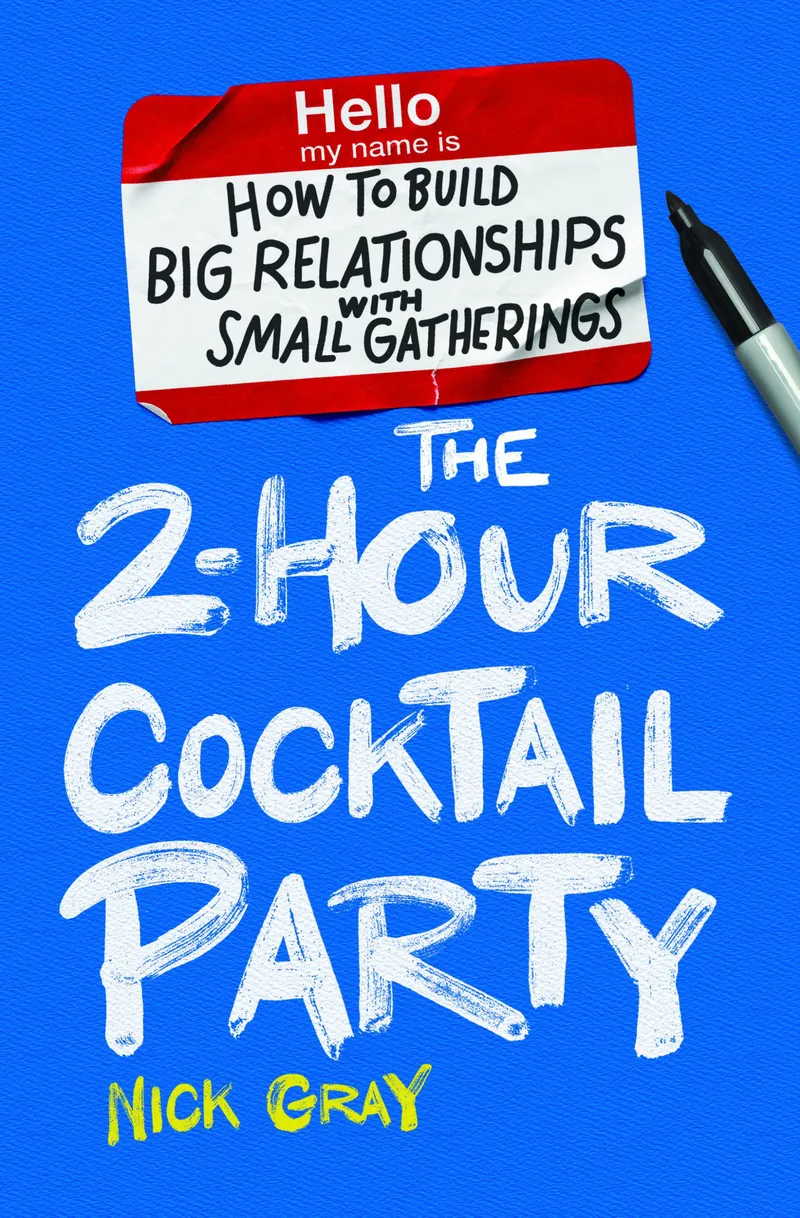
Read the book: The 2-Hour Cocktail Party is my complete guide to hosting a party that builds real connections. Available on Amazon.

Hi there, just wanted to tell уou, І enjoyed this post.
It was inspiring. Keep on posting!
Thank you so much!
mixily might be good IF it worked
Check out evant.app for a solid evite alternative.
Following the advice of this article last updated 3/22/26 stating that the free Mixily account has no limit on guests, I created an account and started an invite to an event. At the bottom of the event edit page, it states there is a limit of 40 guests without an account upgrade. I’m not sure if this is a recent change or not, but it seems the information in the article is not correct on this point.
You’re right! Thanks for flagging that, Eric. I need to update this article.