I take a group photo at almost every party I host. It takes about two minutes. And it gives you the one keepsake from the night that outlasts everything else.
If the idea of gathering everyone to pose for a picture sounds stressful or even a little silly, I get it. That's a normal feeling. It gets easier every single time you do it.
Just imagine looking back at that photo a year later. You'll see all your friends together, having fun, in one frame. And you'll be proud that you're the person who brought them all into a room.
This article walks through my full method: when to take it, how to gather people, who should hold the phone, where to stand everyone, what settings to use, and what to do with the photo once you have it.
When to Take the Group Photo
Timing is the biggest thing that separates a good group photo from a bad one. Wait too long and half your guests look tired.
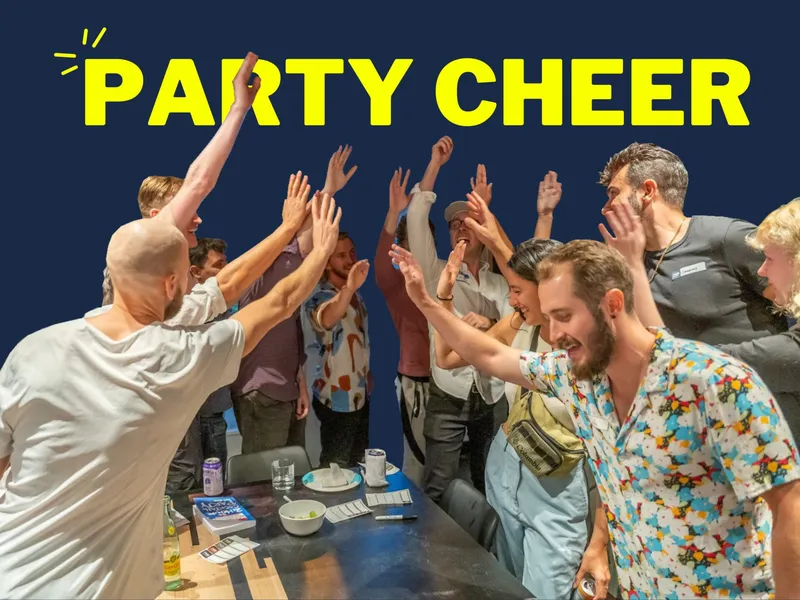
At a cocktail party or mixer, take the photo right after you form the circle for your last icebreaker. Everyone is already standing together. Everyone is warmed up. Energy is at its highest point of the whole night. I take mine at exactly this moment, every time.
At a dinner party, take the photo before the food is eaten, not after. Many hosts wait until the end of dinner to grab a group shot. By then people are tired, they've been drinking, their faces are sagging, and the table behind them is covered in dirty plates. Take it right when the food has just been served. That's when everyone still looks their best.
Don't mix these two up. A dinner table photo and a cocktail-party photo need different timing, and using the wrong one for your event type is the most common mistake I see.
That last-icebreaker moment is also usually the natural pivot into winding a party down. If you're not sure how long your whole event should run in the first place, I break down party duration here.
Pro tip: Icebreakers serve as both an introduction and a conversation starter. They let people start conversations more easily. Read more about icebreakers here.
Watch Me Do This at a Recent Party
Watch this video to see how I gathered everyone at a recent party and what we did to make the photo special and fun.
Step 1: Set a Reminder
After working with over 50 people who hosted their first party since my book launch, I've found the group photo is the thing most people forget.
So set a reminder for yourself. Put it on your phone, or your watch, or write yourself a note. I've got a whole system for this if you want to set up reminders for the other easy-to-forget parts of hosting too. You can also just ask a friend to remember it and take the picture for you.
Step 2: Gather Everyone Without Killing the Energy
To get everyone together, I hold up my phone and say this, smiling, with high energy:
"I want to take a quick group photo! Everyone, come gather over here and look this way because I'm taking a selfie."
I say "selfie" on purpose. It's quick, it's a little silly, and nobody feels like they're posing for a formal photo shoot. Most people are gathered and smiling within 10 seconds.
Then I take the photo right away. I don't fuss with poses or wait for the "perfect" arrangement. A fast, natural photo beats a slow, staged one every time.
After the photo, we move straight into the last icebreaker, or straight back to dinner. The photo is a 10-second pause, not a production.
Who Should Take the Photo
Usually, I take it myself, as a selfie. It's the fastest option, and it means I'm actually in the photo too.
But if I don't want to hold the phone, or someone doesn't want to be in the picture, I hand my phone to that person and ask them to take it for the group. That's what I did for the video above.
Delegating the photo works for another reason. Early guests almost always ask, "How can I help?" Photos are one of the easiest jobs you can hand off. It gives someone a thing to do with their hands, and it makes them feel like they're on the team instead of just standing around making small talk.
Pro tip: If you're a guest rather than the host, take photos of the host during the party and text them the best ones within an hour of leaving. Hosts almost never think to photograph themselves. It's a small, free gesture that makes you unforgettable.
Grab the free 2-page party checklist.
Where to Stand Everyone
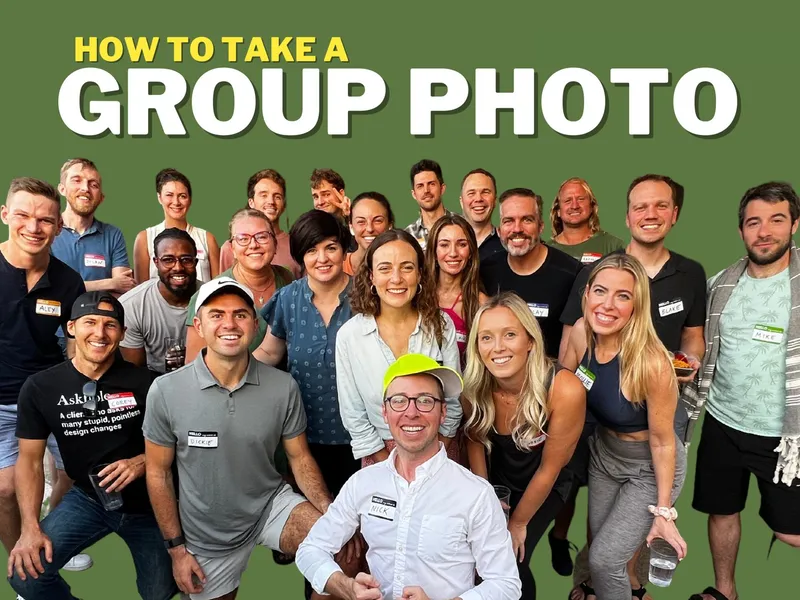
Put your tallest guests in the back and let everyone else fill in front of them. If you're outside or near a doorway, use it as a natural frame for the group.
Get close together. A group photo reads as warmer and more fun when people are shoulder to shoulder, not spread out with gaps between them.
If you have more than 15 or 20 people, don't try to force everyone into one flat line. Let a couple of rows form naturally and have your shorter guests crouch in front. A photo with some real depth to it looks far better than one long row squinting into the distance.
Phone Settings and Lighting
You don't need a real camera. Your phone is good enough for this.
Turn on burst mode. Hold down the shutter button, or the volume button on most phones, and let it fire off a dozen shots in a couple of seconds. Somebody always blinks. Burst mode means you'll have at least one shot where nobody did.
Watch the lighting, especially at night. Indoor party lighting is almost always too dim and too yellow for a phone camera. Move the group toward your brightest light source, a lamp, a window, a string of lights, instead of turning on your phone's flash, which flattens faces and throws glare everywhere. If your space is genuinely too dark, step just outside a doorway for a few seconds where there's more ambient light.
Take more than you think you need. Ten to fifteen shots is completely normal for a group of any real size. You're not reviewing them in the moment. You're buying yourself options for the next morning, when you're calm and can actually pick the best one.
What to Do With the Group Photo Afterward
The next morning, send a short thank-you message to everyone who came. Keep it brief and include the group photo. I usually BCC everyone, say thanks, and ask, "Can I invite you to the next one?" That one question gets people to write back, which keeps the relationship warm.
I don't turn this into a standing group thread afterward. I treat each party as its own single-serving moment: a photo, a thank-you, and I move on. No WhatsApp group.
The same photo does double duty for your next event. When you seed your RSVP list and send out your next invite, attach the group photo from the last one. It's proof, right there, that your parties are real and that people actually show up and have fun. An empty guest list makes people hesitate. A smiling group photo makes them want in.
Pro tip: If you're hosting something bigger, like a book launch, hire a photographer and tell them upfront that you need the top 10 photos, uncorrected, by the next morning. Photos that show up three weeks later are useless for sharing while the moment still feels current.
If you're using an RSVP platform like Mixily to manage your guest list, that same public list is part of the same social proof loop. People see who's already coming before they say yes.
Real Group Photos From Real Parties
These are a few examples of group photos that people have taken at parties and shared with me:
For more, I've collected a bunch of group photos from parties using The 2-Hour Cocktail Party on this page of my website.
Frequently Asked Questions
When is the best time to take a group photo at a party?
It depends on the type of party. At a cocktail party or mixer, take it right after you form the circle for your last icebreaker, while energy is at its highest. At a dinner party, take it before the food is eaten, while faces and the table still look good.
Who should take the group photo?
Usually the host, as a quick selfie. If you don't want to be behind the camera, or someone would rather not be in the shot, hand your phone to that person and ask them to take it for the group.
Do I need a real camera or a professional photographer?
No. Your phone is enough for almost every party. Turn on burst mode and take ten to fifteen shots so you have options later. Save a hired photographer for bigger events, like a book launch, where you need a large batch delivered fast.
What if the lighting is bad indoors at night?
Move the group toward your brightest light source, a lamp, a window, string lights, instead of using your phone's flash. If the room is too dark, step just outside a doorway for a few extra seconds of better light.
How many photos should I actually take?
Ten to fifteen is normal. Somebody always blinks or looks away, so more shots means a better chance one of them is a keeper. Pick the best one the next morning when you're calm.
What should I do with the photo after the party?
Send it the next morning with a short thank-you message and ask if you can invite people to the next one. Then save it to use as social proof on your next invite, so new guests can see your parties are real.
One More Thing
Don't skip this. A group photo takes two minutes, and it's the one thing from your party that lasts.
Do you have tips or tricks for taking a group photo at a party, gathering, or networking event? Email me and I will add your tips to this article.